
One inbox for every chat app
Every customer chat.
One app.
Messenger, WhatsApp, Telegram and Signal, answered by your whole team from Bridge Chat.
Messenger · WhatsApp · Telegram · Signal
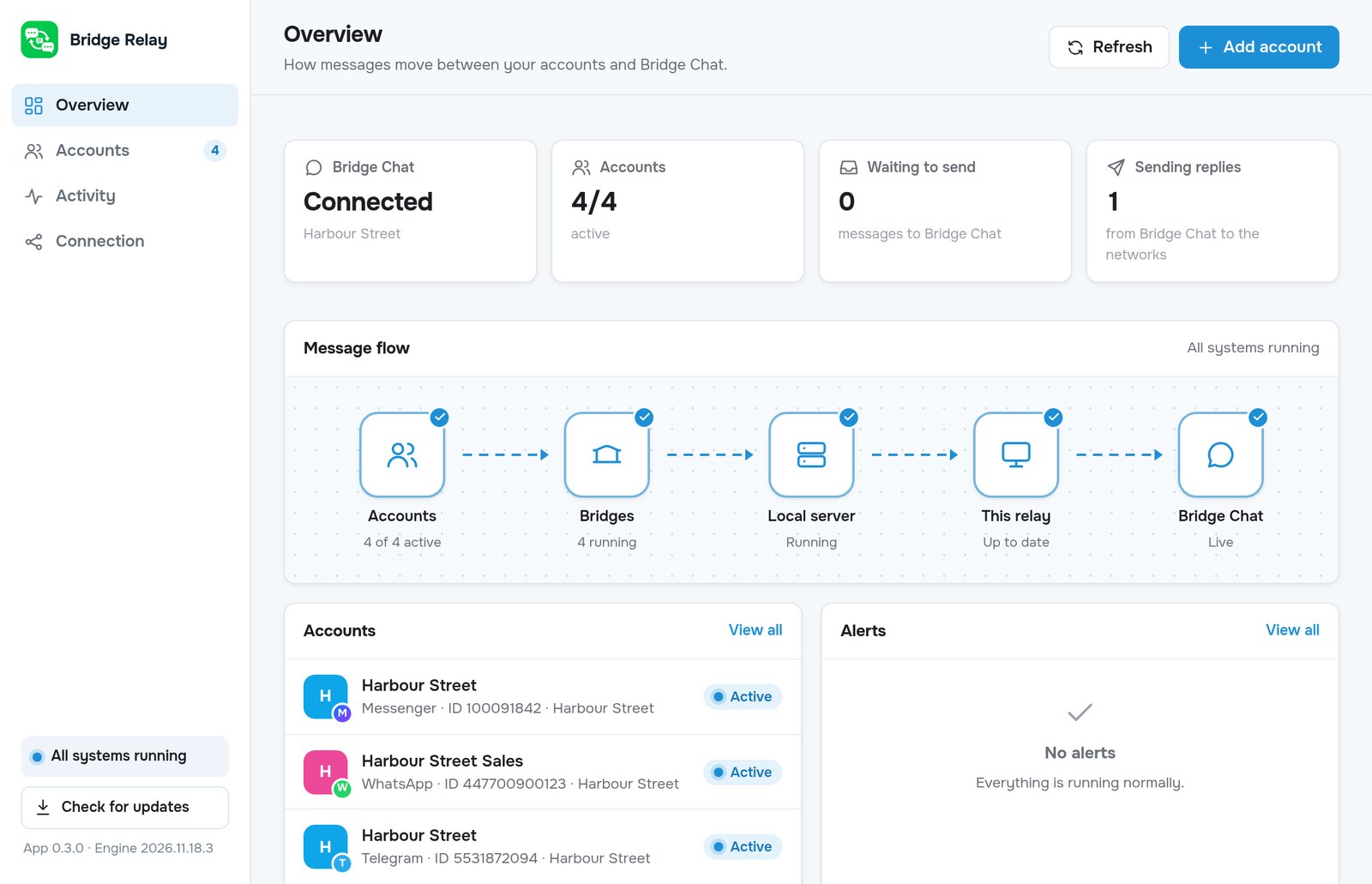
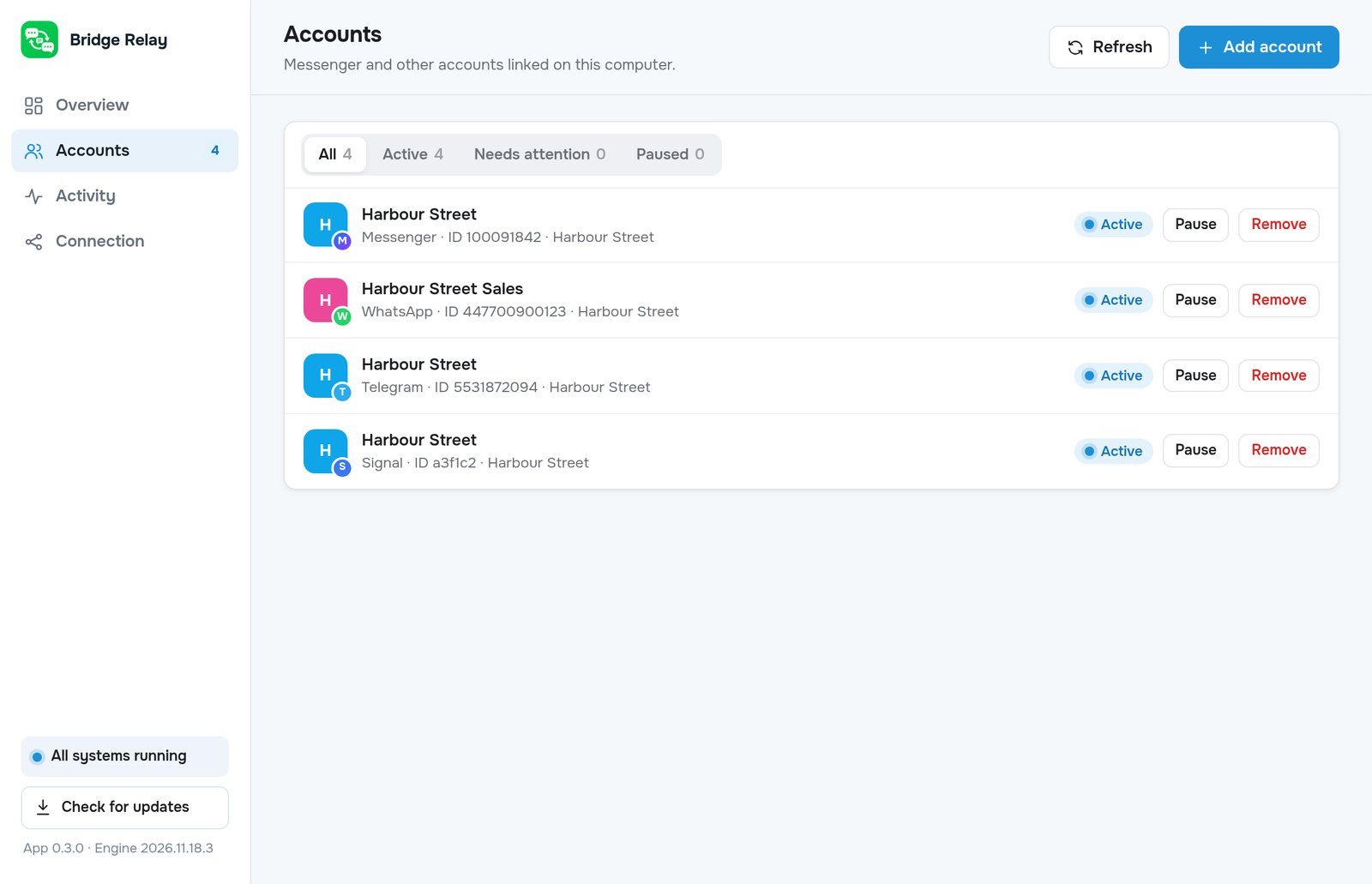
Bridge Relay, running on your shop's PC
Set up once. Reply from anywhere.
Connect. Receive. Reply. Keep everyone in the loop.
Set up Bridge Relay
We help you install a small app on your shop's PC. It's the bridge to your team.
Connect accounts
Log in to Messenger, WhatsApp, Telegram or Signal on that PC. As many as you run.
Reply in Bridge Chat
Every message lands in one inbox on your phones, and replies go back the right way.
Bring the team
Link more phones with a one-time code. Everyone sees the same chats.
Your inbox, in your pocket.
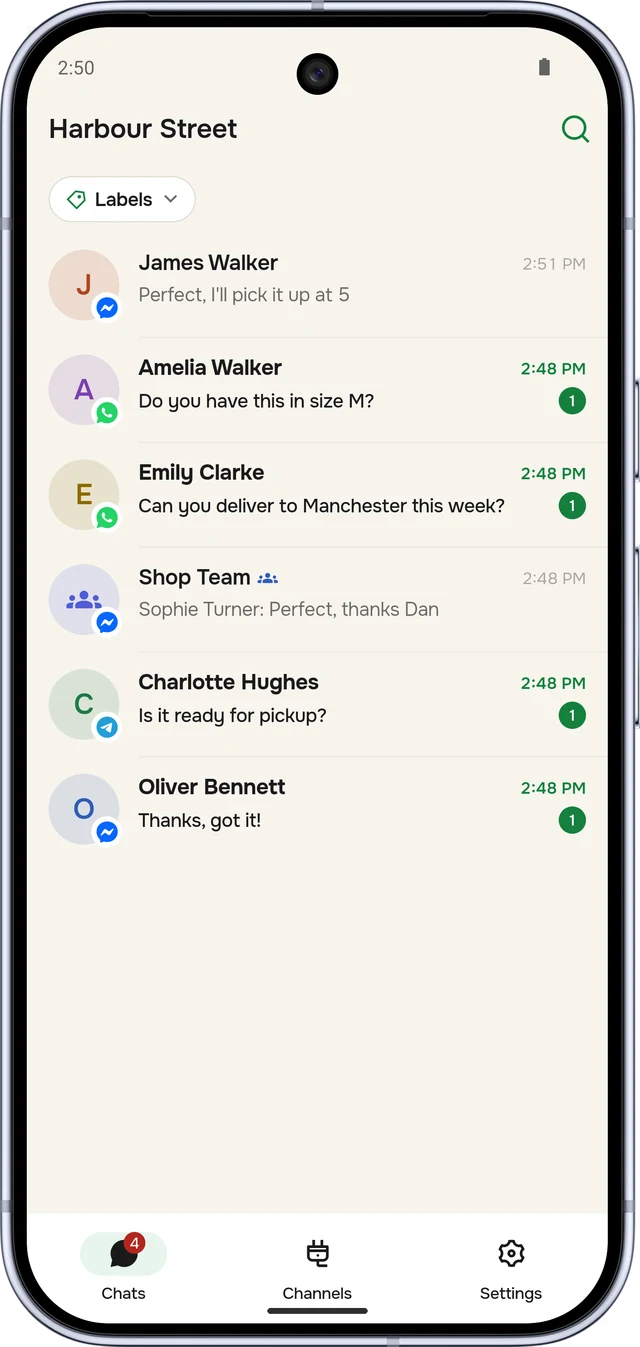
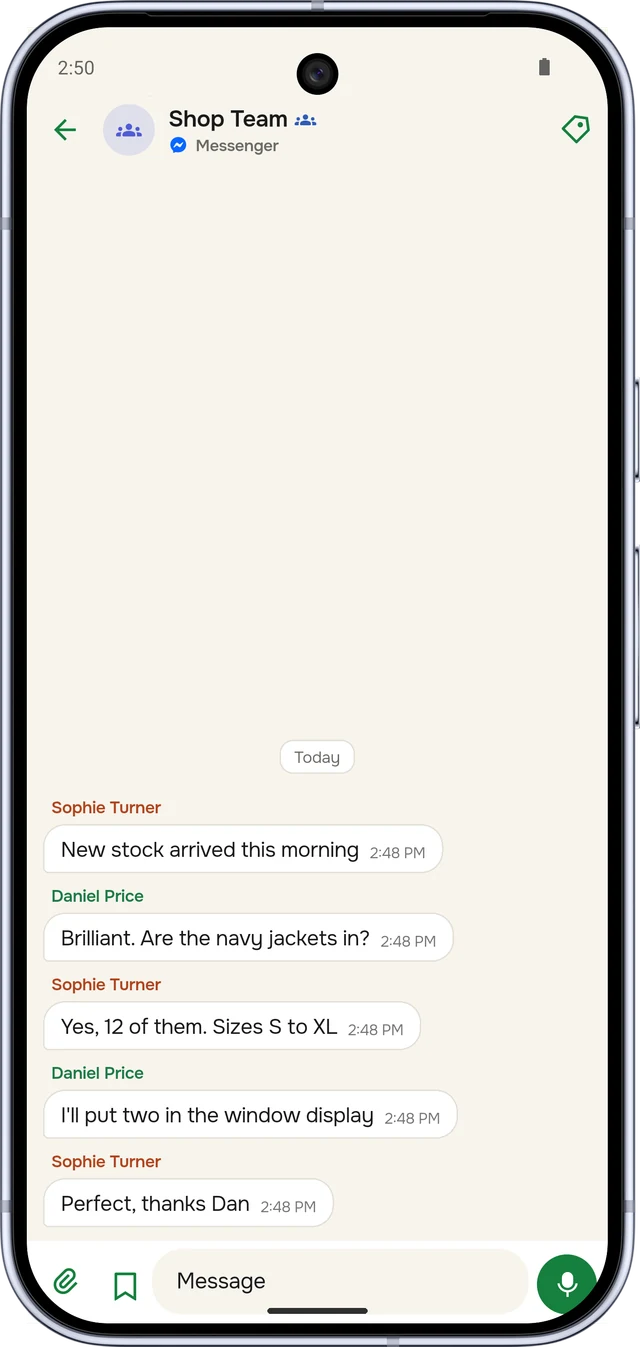
Every conversation from every account, on every phone in your team, with read receipts and group chats included.
- See where it came from. Each chat shows its app and which of your accounts it arrived on.
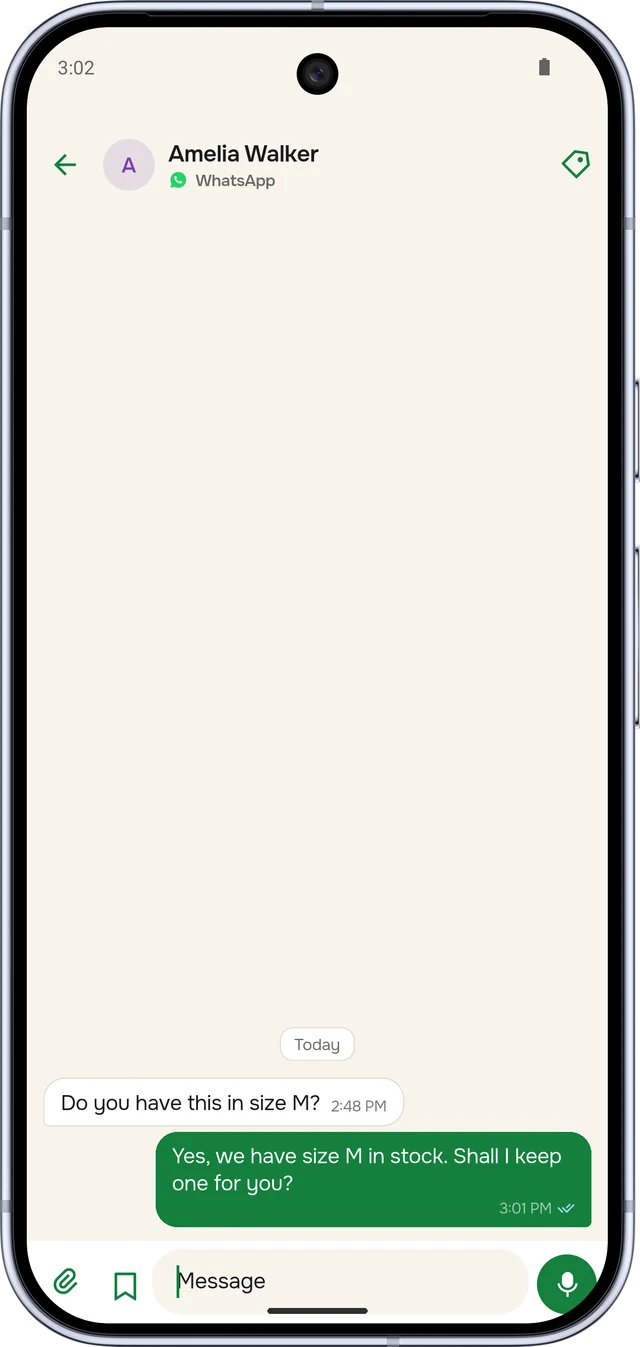
- Know it was read. Ticks turn blue when the customer has seen your reply.
- Groups stay tidy. Each person's name sits on their own messages.
Your logins stay on your PC.
Bridge Relay runs on your own computer. That's where you log in to your chat accounts, and that's where those logins stay.
- Your Messenger, WhatsApp, Telegram and Signal logins are kept on your PC, never on our servers.
- Messages travel to your team's phones over encrypted connections.
- Only phones you link can see your chats. Remove one and it's logged out at once.
- Replies are sent at a natural pace, to keep your accounts in good standing.
Account logins never leave it.
Built for busy shops.
Everything your team needs to answer faster, and nothing it doesn't.
One inbox.
All four apps side by side, newest first, each marked with where it came from.
Labels.
Tag customers as VIP, Paid or Waiting, and filter to the chats that need you.
Saved replies.
Prices, hours and photos you send all the time, one tap away.
Seen & delivered.
See when replies arrive and are read. Edit or unsend if you need to.
Group chats.
Groups stay one chat, with each person's name on their messages.
Many phones.
Your whole team on one inbox. Add or remove a phone in seconds.
One-time setup.
We set up Bridge Relay with you once. Message us on Telegram for current pricing.
Relay setup
We help you install Bridge Relay on your PC and link it to your team's phones.
Connected accounts
Add Messenger, WhatsApp, Telegram or Signal accounts whenever you need them.
Good questions.
Clear answers.
A few things to know before you start.
Which chat apps does it work with?
Messenger (including Facebook accounts), WhatsApp, Telegram and Signal. You can connect several accounts on each.
Where are my account logins kept?
On your own PC, inside Bridge Relay. You log in there, and the logins stay there. Messages travel to your team's phones over encrypted connections.
Do I need to keep a computer on?
Yes. Bridge Relay runs on a Windows PC at your shop or office. While it's on and online, messages keep flowing. If it goes offline, nothing is lost: they arrive when it's back.
Can several staff use it at once?
Yes. Link as many phones as you like. Everyone shares the same inbox, labels and saved replies.
Will my customers notice anything?
No. They keep messaging your usual accounts, and your replies come from those same accounts.
How do I pay and get started?
Message us on Telegram at @bridgechat. We'll confirm the price, take payment and set you up.
Your customers are messaging right now.
Bring every chat into one place, and let your whole team answer from their phones.
One place to answer them all.